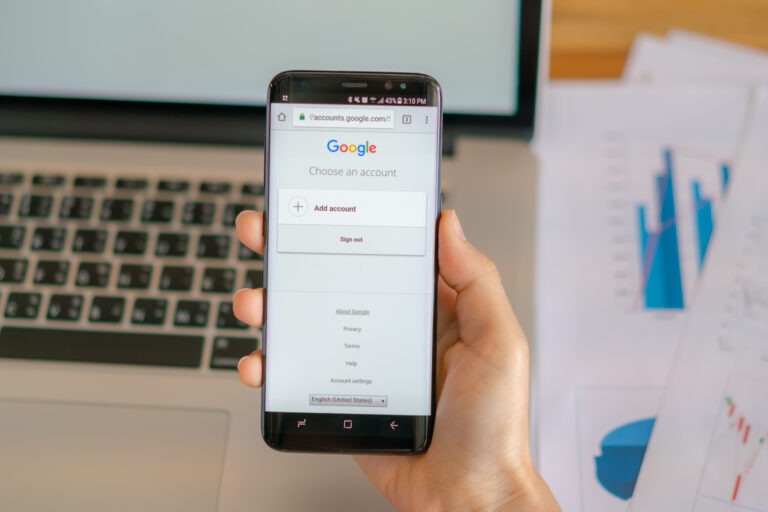
If your Google Business Profile Verification Failed, it usually means Google could not confidently confirm that your business is real, located where you say it is, and allowed to represent that location online. For South African business owners, this can be frustrating because the profile may look ready, but it still cannot properly appear across Google Search and Google Maps until verification is resolved.
The good news is that a failed verification does not always mean something serious is wrong. In many cases, the issue comes down to mismatched business details, unclear signage, weak video evidence, duplicate listings, or choosing the wrong business type during setup.
In this guide, we will walk through why verification fails, what to check before trying again, and how to improve your chances of getting the profile approved without going in circles.
What Does It Mean When Google Business Profile Verification Failed?
When verification fails, Google is saying that the information or evidence provided was not enough to confirm the business. It is not the same as a suspension, although repeated issues can sometimes lead to more serious profile problems.
Verification is Google’s way of checking that the person managing the profile is connected to the business and that the business details are genuine. This matters because Google Maps listings influence where customers call, request directions, read reviews, and compare local providers.
We often see business owners treat verification as a quick admin step. In practice, it is closer to a trust check. Google looks for consistency between your profile, your real-world business presence, and the proof you submit.
If you are still at the early setup stage, it helps to first understand how to create a Google Business Profile correctly. A weak setup can make verification harder later.
Why Does Google Business Profile Verification Fail?
There is rarely one universal reason. The cause depends on your business type, location, evidence submitted, and whether Google finds conflicting information elsewhere.
Here are the most common reasons we see when helping businesses with Google Business Profile setup.
1. Your Business Name Does Not Match Your Real-World Branding
One of the most common mistakes we see is adding extra keywords to the business name. A business might use its registered or trading name in the real world, but then add phrases such as plumber in Pretoria, best dentist Cape Town, or affordable electrician near me inside the Google profile name.
That may look useful for ranking, but it can create verification problems. Google wants the profile name to match the business name customers would see on signage, documents, invoices, your website, and other trusted references.
If your signage says ABC Electrical, your Google profile should not suddenly say ABC Electrical Best Emergency Electrician Johannesburg. It looks inconsistent, and inconsistency weakens trust.
2. The Address Is Incorrect, Hidden Incorrectly, Or Not Eligible
Address issues are especially common in South Africa because many SMEs operate from home offices, shared offices, industrial parks, serviced offices, or travel directly to customers.
If customers do not visit your premises, your address should usually be hidden and your service areas should be configured properly. If customers do visit, the address should be accurate and supported by real-world evidence such as signage, entrance access, and business documentation.
Businesses that work from residential addresses often run into trouble when they display the home address publicly even though they do not serve customers there. Service-area businesses need a slightly different setup from storefront businesses.
If the business is intended to appear on Maps, it is worth reviewing how to add your business to Google Maps in a way that matches your real operating model.
3. Video Verification Evidence Is Too Weak
Video verification has become a common verification method. It can fail when the video does not clearly prove the relationship between the person, the business, the premises, and the profile details.
A weak video might show only a desk, laptop, or business card. That is usually not enough. Google often needs to see stronger evidence, such as signage, tools, branded vehicles, stock, access to the premises, or proof that you can unlock and enter the business location.
For service businesses, evidence may include branded equipment, business documents, uniforms, vehicles, or operational materials. The video should tell a simple story: this is the business, this is where it operates, and this person is authorised to manage it.
4. Your Business Details Are Inconsistent Online
Google compares your profile information with signals it can find elsewhere. If your website, social media pages, directory listings, invoices, and Google profile all show different names, phone numbers, addresses, or categories, verification may become harder.
This is why basic business information matters before verification. Your name, address, phone number, website, and category should be consistent wherever possible.
Before trying again, check your Google Business Profile setup requirements and make sure the same details appear across your main business assets.
5. There Is Already A Duplicate Google Business Profile
Many business owners discover that someone previously created a listing years ago. It may have been created by an old employee, a previous agency, Google, or even from public information.
If there is already a profile for the same business, address, or phone number, a new verification attempt can fail or become confusing. Google may not know which listing is the correct one.
Do not ignore duplicates. They can split reviews, confuse customers, and create ownership problems. In some cases, the right move is to claim the existing profile rather than create a new one.
6. The Business Category Does Not Match The Evidence
Your primary category should describe what the business actually is, not only what you want to rank for. If the category and submitted evidence do not match, Google may question the profile.
For example, a professional practice should not choose a broad or unrelated category simply because it has higher search volume. The category needs to reflect the real service offered by the business.
Category accuracy also affects how Google understands the listing after verification, so this is not just an approval issue. It influences the quality of the profile long term.
7. You Submitted The Same Failed Evidence Again
A common challenge during setup is panic-resubmitting. The profile fails verification, the owner immediately tries again, and the same weak evidence is uploaded a second or third time.
This rarely helps. If the original evidence was not strong enough, repeating it usually creates another delay. It is better to pause, identify the likely cause, improve the supporting evidence, and only then attempt verification again.
How To Diagnose The Problem Before Trying Again
Before you retry verification, work through the profile like a consultant would. The aim is to remove anything that makes Google uncertain.
Use this checklist:
- Does the business name match your signage, website, invoices, and public branding?
- Is the address correct for the type of business?
- Should the address be visible or hidden?
- Is the phone number active and connected to the business?
- Does the website show matching business details?
- Is there an existing duplicate listing?
- Is the primary category accurate?
- Can you prove access to the premises or operational evidence?
- Are your service areas realistic and not overly broad?
If several answers are uncertain, fix those items before resubmitting. Verification is easier when the profile looks coherent from every angle.
What Should South African Businesses Check Specifically?
South African SMEs often have practical setup realities that do not fit neatly into a generic checklist. Home-based consultants, mobile service providers, medical practices, legal firms, trades, and local branches all need slightly different handling.
Here are the local issues we would check first:
| Business situation | Verification risk | What to check |
|---|---|---|
| Home-based service business | Public address may not be appropriate | Hide address if customers do not visit and set service areas properly |
| Shared office or serviced office | Google may question whether the business has a real presence | Provide evidence of signage, access, tenancy, or operational use |
| Multiple branches | Duplicate or overlapping profiles | Make sure each branch has unique, accurate details |
| Mobile business | Weak location evidence | Show branded vehicles, tools, documents, and service-area logic |
| Professional practice | Category or practitioner confusion | Separate business and practitioner profiles carefully where needed |
The key is not to force the business into the wrong type of profile. A plumber, accountant, dentist, guesthouse, and mobile beauty therapist should not all be configured in the same way.
How To Fix A Failed Google Business Profile Verification
Once you have identified the likely cause, the fix is usually practical rather than complicated.
Clean Up The Profile Details
Start with the basics. Correct the business name, category, address settings, phone number, website, opening hours, and service areas. Remove keyword stuffing and anything that does not match your real-world business.
This is also the right time to review common Google Business Profile setup mistakes, because many verification issues start with small setup decisions that looked harmless at the time.
Strengthen Your Evidence
If Google asks for a video, prepare before recording. Do not improvise while standing outside the premises.
Depending on your business type, useful evidence may include:
- Exterior signage with the business name
- Interior signage or branded materials
- Business documents showing the correct name and address
- Access to the premises, such as unlocking a door or entering a staff-only area
- Tools, equipment, stock, or branded vehicles
- Proof that the phone number and website belong to the business
The evidence should be natural and honest. Do not create fake signage or misleading material just to pass verification. That can cause bigger problems later.
Deal With Duplicate Listings
Search Google for your business name, old phone numbers, previous addresses, and common name variations. Also search directly in Google Maps.
If you find an existing listing, decide whether it should be claimed, merged, removed, or left alone. The answer depends on whether it represents the same business, an old location, or a different entity.
Wait Before Making Too Many Changes
After a failed attempt, avoid changing everything at once unless there is a clear mistake. Too many edits in a short time can make the profile look unstable.
Make the necessary corrections, gather stronger evidence, and then retry with a cleaner profile. Calm, accurate updates are better than constant tinkering.
When Should You Get Help?
You may be able to fix a straightforward failed verification yourself. But it is worth getting help when the issue involves duplicates, multiple locations, video verification uncertainty, a hidden address, or a profile that has already failed more than once.
We have worked with businesses that only needed a few corrections before verification could move forward. We have also seen cases where the real issue was not the video at all, but a mismatch between the business model and how the profile had been configured.
If the profile is commercially important, it is better to get the setup right than to keep testing guesses. A clean profile gives Google clearer signals and gives customers more confidence once the listing is live.
FAQs
Why did my Google Business Profile verification fail?
It may have failed because Google could not confirm your business name, address, ownership, category, or real-world presence. Weak video evidence, duplicate listings, inconsistent details, and incorrect address settings are common causes.
Can I try Google Business Profile verification again?
Yes, in most cases you can try again. Before you do, check the profile details and improve the evidence. Repeating the same failed submission usually leads to the same result.
Does a failed verification mean my profile is suspended?
No. A failed verification is not automatically a suspension. It means the profile has not been verified. However, repeated incorrect information or policy issues can create bigger problems, so it is worth handling carefully.
What is the best evidence for Google Business Profile video verification?
The best evidence depends on your business type. Useful proof can include signage, access to the premises, branded vehicles, tools, stock, documents, and anything that clearly connects the business to the location and owner.
Should I show my home address if I run a service business?
If customers do not visit your home address, you should usually hide the address and set service areas instead. This is common for mobile and service-area businesses.
Can duplicate listings cause verification problems?
Yes. Duplicate profiles can confuse Google and customers. If an existing listing already represents your business, you may need to claim or correct it rather than create a new profile.
How long should I wait after a failed verification?
There is no fixed waiting period for every case. The important thing is to fix the likely cause before trying again. If Google has given a specific instruction or pending review, follow that first.
Can Growbot Digital help with failed verification?
Yes. Growbot Digital can help review the setup, identify likely verification issues, and prepare the profile and evidence properly before another attempt.
Conclusion
A failed Google Business Profile verification is frustrating, but it is usually a sign that something needs to be clarified. Google wants to see a real business, accurate details, and evidence that matches the profile.
The best approach is to slow down, check the business information, strengthen the evidence, and avoid repeat submissions until the likely issue has been fixed. For South African businesses, the right setup depends heavily on whether customers visit your premises, whether you operate in a service area, and whether any older listings already exist.
Get the verification process right, and the profile has a stronger foundation for local visibility, customer trust, and future optimisation.
Avoid repeat verification delays
Get Your Google Business Profile Set Up Correctly
If your verification has failed or you are unsure what Google needs, Growbot Digital can help review your setup, identify the likely issue, and prepare the profile properly before you try again.