
Creating a Google Business Profile is one of the most important steps a South African business can take to establish visibility online.
Whether you run a plumbing company in Johannesburg, a legal practice in Cape Town or a coffee shop in Durban, customers are searching for businesses like yours on Google every day. In many cases, your Google Business Profile will be the first interaction a potential customer has with your brand.
The good news is that Google allows businesses to create a profile for free.
The challenge is that many businesses either never complete the process or encounter problems during setup and verification. We’ve seen businesses struggle with duplicate listings, incorrect categories, failed verification attempts and ownership issues that could have been avoided from the start.
This guide explains how to create a Google Business Profile in South Africa, what information you’ll need and the common mistakes to avoid.
What Is a Google Business Profile?
A Google Business Profile is a free business listing that allows your company to appear on:
- Google Search
- Google Maps
- Local search results
- Mobile map searches
Your profile can display important information such as:
- Business name
- Address
- Phone number
- Website
- Business hours
- Service areas
- Products and services
- Photos
Think of it as your business’s digital storefront on Google.
When customers search for businesses in your industry, a properly configured profile makes it easier for them to find, contact and trust your business.
Why Every South African Business Should Create a Google Business Profile
Consumer behaviour has changed significantly.
Before contacting a business, most people search online first. They want to know:
- Where you’re located
- Whether you’re open
- How to contact you
- What services you offer
A Google Business Profile helps answer these questions immediately.
It can also help customers:
- Find directions to your premises
- Call your business directly
- Visit your website
- View photos of your business
- Discover your services
For many local businesses, appearing on Google Maps and local search results is often one of the fastest ways to improve online visibility.
Required Business Information Checklist Before You Start
Before you create a Google Business Profile, gather all the information you’ll need.
This can significantly reduce delays during setup and verification.
Business Name
Use your real-world business name exactly as customers know it.
Avoid adding keywords, locations or promotional phrases.
Physical Address or Service Area
You’ll either:
- Display a physical address, or
- Configure service areas if customers don’t visit your premises.
Contact Information
Prepare:
- Primary phone number
- Business email address
- Customer contact details
Website Address
If you have a website, ensure the URL is correct and active.
Primary Business Category
Choosing the right category is more important than many business owners realise.
One of the most common setup mistakes we encounter is businesses selecting categories that don’t accurately represent their primary service.
Operating Hours
Prepare your standard business hours in advance.
Business Photos
Photos aren’t mandatory, but they help create a more complete and professional profile.
Quick Setup Checklist
Before starting, make sure you have:
✓ Business name
✓ Address or service area
✓ Phone number
✓ Website URL
✓ Primary business category
✓ Operating hours
✓ Business photos
How to Create a Google Business Profile Step by Step
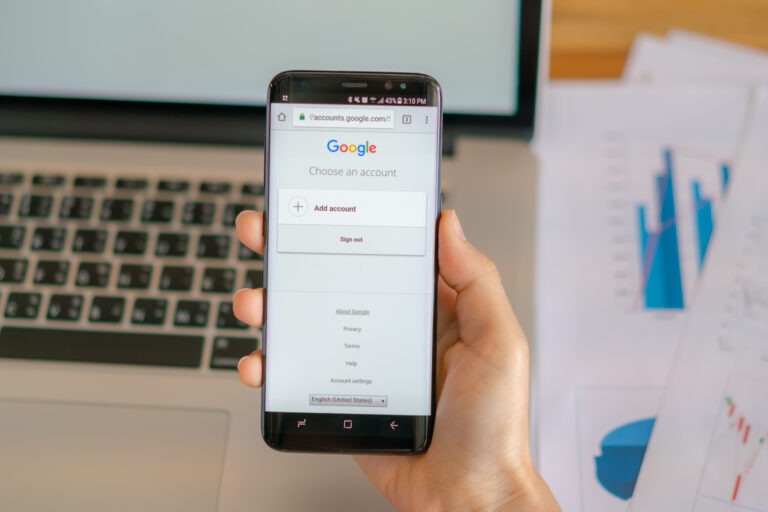
Step 1: Sign In With a Google Account
Visit Google Business Profile and sign in using a Google account.
Ideally, use a business-owned account rather than a personal account to avoid future ownership complications.
Step 2: Enter Your Business Name
Enter your business name exactly as it appears in the real world.
Google will automatically check whether a profile already exists.
If it does, you may need to claim ownership instead of creating a new listing.
Step 3: Choose Your Business Category
Select the category that best describes your primary service.
Examples include:
- Plumber
- Dentist
- Accountant
- Restaurant
- Marketing Agency
The category you choose helps Google understand what your business does.
Getting this wrong can create confusion during setup and may affect how your business is displayed.
Step 4: Add Your Business Location
Google will ask whether customers visit your location.
If they do, enter your business address.
If they don’t, you’ll configure service areas instead.
Step 5: Add Contact Information
Enter your:
- Phone number
- Website address
Accuracy matters.
Incorrect contact details can create unnecessary problems during verification and customer enquiries.
Step 6: Complete Your Business Information
Google may request additional information including:
- Business hours
- Services
- Business description
Complete as much information as possible.
Incomplete profiles often create a poorer customer experience and can lead to avoidable delays.
Step 7: Submit Your Listing for Verification
Once your information has been submitted, Google will require verification.
Verification confirms that your business is legitimate and that you’re authorised to manage the profile.
Creating a Google Business Profile for a Service-Area Business
Not every business operates from a storefront.
Many South African businesses travel to customers instead.
Examples include:
- Plumbers
- Electricians
- Security companies
- Garden services
- Consultants
- Marketing agencies
These businesses are known as service-area businesses.
Instead of displaying a physical address, Google allows you to define the areas you serve.
For example:
- Johannesburg
- Pretoria
- Midrand
- Cape Town
- Durban
One of the most common mistakes we see is service-area businesses displaying addresses that customers never visit. This can create confusion and may cause issues during verification.
If customers don’t visit your premises, your profile should be configured accordingly.
Should You Create a New Listing or Claim an Existing One?
This is one of the most overlooked parts of the setup process.
Many business owners assume they need to create a new listing.
In reality, Google may already have one.
When to Create a New Listing
Create a new profile when:
- No listing exists
- Your business is new
- Google cannot find an existing profile
When to Claim an Existing Listing
Claim a profile when:
- Google already displays your business
- Another owner manages the listing
- The profile exists but isn’t under your control
Why Duplicate Listings Cause Problems
At Growbot Digital, duplicate listings are one of the most common setup issues we encounter.
Duplicate profiles can create:
- Ownership disputes
- Verification complications
- Customer confusion
- Inconsistent business information
Before creating a new profile, always check whether a listing already exists.
How Google Business Profile Verification Works
Verification is Google’s way of confirming that your business is genuine.
Depending on your business type, Google may offer:
- Video verification
- Email verification
- Phone verification
- Live video verification
Verification is often where business owners experience the most frustration.
We’ve worked with businesses that spent weeks attempting verification because information submitted during setup didn’t align with Google’s requirements.
Providing accurate information from the start can help avoid many of these issues.
Common Google Business Profile Setup Mistakes
Choosing the Wrong Business Category
Selecting an inaccurate category can create problems during setup and verification.
Creating Duplicate Listings
Always check whether a profile already exists before creating a new one.
Using Incorrect Contact Details
Ensure your phone number, website and business information are accurate.
Incomplete Business Information
Businesses frequently leave sections unfinished.
Providing complete information creates a better customer experience.
Rushing the Verification Process
Many verification issues occur because business owners rush through the process without understanding Google’s requirements.
When Professional Google Business Profile Setup Makes Sense
Many business owners successfully create their own Google Business Profile.
However, professional assistance can save time and help avoid costly mistakes.
You may benefit from expert setup if:
- You’re unsure which category to choose.
- You operate as a service-area business.
- A listing already exists.
- You’ve experienced verification issues before.
- You want the profile configured correctly from day one.
At Growbot Digital, we’ve helped South African businesses navigate setup and verification challenges, resolve duplicate listings and launch profiles that are ready for customers to find and trust.
If you’d prefer expert assistance, our Google Business Profile Setup service can handle the entire process from creation through verification.
Final Thoughts
Creating a Google Business Profile is one of the most effective ways to establish your business’s presence on Google Search and Google Maps.
While the process itself may appear straightforward, the details matter. Choosing the correct category, configuring service areas properly, avoiding duplicate listings and completing verification successfully can all influence how smoothly the process unfolds.
Many businesses successfully complete the process themselves. Others discover that professional assistance helps them avoid common pitfalls, reduce delays and gain confidence that everything has been configured correctly from the start